Social television is the union of television and social media. Millions of people now share their TV experience with other viewers on social media such as Twitter and Facebook using smartphones and tablets. TV networks and rights holders are increasingly sharing video clips on social platforms to monetise engagement and drive tune-in. The social TV market covers the technologies that support communication and social interaction around TV as well as companies that study television-related social behavior and measure social media activities tied to specific TV broadcasts – many of which have attracted significant investment from established media and technology companies. The market is also seeing numerous tie-ups between broadcasters and social networking players such as Twitter and Facebook. The market is expected to be worth $256bn by 2017. Social TV was named one of the 10 most important emerging technologies by the MIT Technology Review on Social TV in 2010. And in 2011, David Rowan, the editor of Wired magazine, named Social TV at number three of six in his peek into 2011 and what tech trends to expect to get traction. Ynon Kreiz, CEO of the Endemol Group told the audience at the Digital Life Design (DLD) conference in January 2011: "Everyone says that social television will be big. I think it's not going to be big—it's going to be huge". Much of the investment in the earlier years of social TV went into standalone social TV apps. The industry believed these apps would provide an appealing and complimentary consumer experience which could then be monetized with ads. These apps featured TV listings, check-ins, stickers and synchronised second-screen content but struggled to attract users away from Twitter and Facebook. Most of these companies have since gone out of business or been acquired amid a wave of consolidation and the market has instead focused on the activities of the social media channels themselves – such as Twitter Amplify, Facebook Suggested Videos and Snapchat Discover – and the technologies that support them. == Twitter == Twitter and Facebook are both helping users connect around media, which can provoke strong debate and engagement. Both social platforms want to be the 'digital watercooler' and host conversation around TV because the engagement and data about what media people consume can then be used to generate advertising revenue. As an open platform, conversation on Twitter is closely aligned with real-time events. In May 2013, it launched Twitter Amplify – an advertising product for media and consumer brands. With Amplify, Twitter runs video highlights from major live broadcasts, with advertisers' names and messages playing before the clip. By February 2014, all four major U.S. TV networks had signed up to the Amplify program, bringing a variety of premium TV content onto the social platform in the form of in-tweet real-time video clips. In June 2014, Twitter acquired its Twitter Amplify partner in the U.S. SnappyTV, a company that was helping broadcasters and rights holders to share video content both organically across social and via Twitter's Amplify program. Twitter continues to rely on Grabyo, which has also struck numerous deals with some of the largest broadcasters and rights holders in Europe and North America to share video content across Facebook and Twitter. == Facebook == Facebook made significant changes to its platform in 2014 including updates to its algorithm to enhance how it serves video in users' feeds. It also launched video autoplay to get users to watch the videos in their feeds. It rapidly surpassed Twitter and by the end of 2014 it was enjoying three billion video views a day on its platform and had announced a partnership with the NFL, one of Twitter's most active Twitter Amplify partners. In April 2015, at its F8 Developer Conference, it revealed it was working with Grabyo among other technology partners to bring video onto its platform. Then in July it announced it would be launching Facebook Suggested Videos, bringing related videos and ads to anyone that clicks on a video – a move that not only competed with Twitter's commercial video offering but also put it in direct competition with YouTube. == TV Time == TV Time is a television dedicated social network that allows users to keep track of the television series they watch, as well as films. It also allows them to express their reaction to the media they have seen with episode specific voting for favorite characters and emotional reaction to episodes, as well as commenting in episode restrictive pages. This way users are able to avoid spoilers while also finding a precise audience and community for each of their interactions, as opposed to bigger, non-television dedicated social medias such as Facebook and Twitter where the likelihood of unintentionally reading spoilers is much higher. TV Time offers an analytics service called "TVLytics" where the votes and reactions collected from users can be studied for research and television production purposes. == Advertising == According to Businessinsider.com, there are variety of applications for social TV, including support for TV ad sales, optimizing TV ad buys, making ad buys more efficient, as a complement to audience measurement, and eventually, audience forecasting and real-time optimization. Social TV data can ease access to focus groups and may create a positive feedback loop for generating ultra-sticky TV programming and multi-screen ad campaigns. == In numbers == Viewers share their TV experience on social media in real-time as events unfold: between 88-100m Facebook users login to the platform during the primetime hours of 8pm – 11pm in the US. The volume of social media engagement in TV is also rising – according to Nielsen SocialGuide, there was a 38% increase in tweets about TV in 2013 to 263m. For the 2014 Super Bowl, Twitter reported that a record 24.9 million tweets about the game were sent during the telecast, peaking at 381,605 tweets per minute. Facebook reported that 50 million people discussed the Super Bowl, generating 185 million interactions. The 2014 Oscars generated 5m tweets, viewed by an audience of 37m unique Twitter users and delivering 3.3bn impressions globally as conversation and key moments were shared virally across the platform. In 2014 the All England Lawn Tennis Club (AELTC), hosts of Wimbledon, used Grabyo to share video content across social. The videos were viewed 3.5 million times across Facebook and Twitter. In partnered with Grabyo again in 2015 and the videos generated over 48 million views across Facebook and Twitter. == Television shows with social integration == Here are some examples of how TV executives are integrating social elements with TV shows: C-SPAN streamed tweets from US Senators and Representatives during the quorum call The Voice had the judges of the program tweet during the show and the posts scrolls on the bottom of the screen. The use of Twitter also led to an increase in viewers. "Glee" Entertainment Weekly created a second screen viewing platform for the Glee season 3 premiere. == Related publications == Erika Jonietz. "Making TV Social, Virtually" MIT Technology Review. (January 11, 2010) AmigoTV (Alcatel-Lucent; Coppens et al.) – 2004 www.ist-ipmedianet.org/Alcatel_EuroiTV2004_AmigoTV_short_paper_S4-2.pdf Nextream (MIT Media Lab, Martin et al.) – 2010 Social Interactive Television: Immersive Shared Experiences and Perspectives (P. Cesar, D. Geerts, and K. Chorianopoulos (eds.)) – 2009 Social TV and the Emergence of Interactive TV – Multimedia Research Group – November 2010 Interactive Social TV on Service Oriented Environments: Challenges and Enablers (May 2011) == Systems == Boxee – acquired by Samsung GetGlue – acquired by i.TV Grabyo KIT digital Miso TV Tank Top TV WiO Xbox Live
NCAA transfer portal
The NCAA transfer portal is a National Collegiate Athletic Association (NCAA) application, database, and compliance tool that facilitates student athletes' transfers between member institutions. It is intended to bring greater transparency to the transfer process and to enable student athletes to publicize their desire to transfer. The transfer portal is an NCAA-wide database covering all three NCAA divisions, although most media coverage of the transfer portal involves its use in the top-level Division I (D-I). The portal launched on October 15, 2018. Regulations adopted in 2021 allowed student-athletes in D-I football, men's and women's basketball, men's ice hockey, and baseball to transfer schools using the portal once without sitting out a year. In 2024, the NCAA authorized athletes unlimited transfers. == Process == For Divisions I and II, once an athlete desiring to transfer informs their school; the school must enter the athlete's name in the database within two business days. Then coaches and staff from other universities may contact the athlete about potentially transferring. Before the January 2026 NCAA convention, Division III schools were allowed, but not required, to enter such a student into the portal. A proposal to require use of the portal in that division was approved at the convention. The timeline for D-III members to enter athletes into the portal differs from that of the other divisions. Athletes wishing to enter the portal must first complete an educational module. Once completed, the school has seven calendar days to enter the athlete's transfer request into the portal. == Transfer windows == On August 31, 2022, the D-I board adopted a series of changes to transfer rules, introducing the concept of transfer windows, similar to those used in professional soccer worldwide. Student-athletes who wish to take advantage of the one-time transfer rule must, under normal circumstances, enter the portal within a designated window for their sport. These windows are slightly different for each NCAA sport, but are broadly grouped by the NCAA's three athletic "seasons". At that time, the windows were as follows: Fall sports – A 45-day winter window opening the day after championship selections are made in that sport, and a spring window from May 1–15. According to the NCAA, "reasonable accommodations" would be made for participants in football's FBS and FCS championship games (respectively the College Football Playoff National Championship and Division I Football Championship Game), both of which take place in early January. Participants in those games had a 14-day window opening on the day after the championship game, as well as the spring window. Winter sports – A 60-day window opening the day after championship selections are made in that sport. Spring sports – A winter window from December 1–15, and a 45-day spring window opening the day after championship selections are made in that sport. For sports included in the NCAA Emerging Sports for Women program, transfer windows are the same as those for fully recognized NCAA sports. As with fully recognized NCAA sports, transfer windows linked to championship events open on the day after selections are made for the generally recognized championship events in emerging sports. Student-athletes whose athletic aid is reduced, canceled, or not renewed by their school, as well as those affected by a university's elimination of a sports team, may enter the transfer portal at any time without penalty. A slightly different exception applies to those undergoing a head coaching change; student-athletes so affected in sports other than Division I football can enter the portal within 30 days of the change, starting on the day after the coach's departure is announced. The coaching change window also applied to Division I football before October 2025. Less than a month after transfer windows were adopted, the Division I Council adopted a change that affected only graduate transfers. Student-athletes who are set to graduate with remaining athletic eligibility, and plan to continue competition as postgraduate students, were exempt from transfer windows. They could enter the portal at any time during the academic year, and were not subject to the standard deadlines of May 1 for fall and winter sports and July 1 for spring sports. In April 2024, graduate transfers became subject to the same deadlines as all other transfer students. This change did not affect windows for student-athletes affected by a head coaching change, a loss of athletic aid, or the discontinuation of a team. Because the Ivy League allows neither redshirting nor athletic participation by graduate students, athletes at its member schools who are set to complete four years of attendance but still have remaining athletic eligibility may enter the portal at any time during their fourth academic year of attendance. In October 2024, the Division I Council reduced transfer windows in football and basketball to a total of 30 days. For FBS and FCS football, the fall window opened for 20 days, starting on the Monday after FBS conference championship games. Participants in postseason play had a 5-day window that opened on the day after each team's final game. A 10-day spring window opened in mid-April. In men's and women's basketball, a single 30-day window opens on the day after the second round of each Division I tournament concludes. The existing exceptions regarding head coaching changes, a loss of athletic aid, or the discontinuation of a team remained in place. Almost exactly a year later, Division I adopted more significant changes to the football transfer portal for both FBS and FCS. The previous two windows were abolished and replaced by a single window that opens from January 2–16. Participants in the College Football Playoff National Championship—the only game in FBS or FCS played after the closure of the new window—receive a 5-day window that opens on the day after that game. The window for players undergoing a head coaching change was also reduced. A new window of 15 days opens five calendar days after the hiring or public announcement of a new head coach. Should a school fail to hire or publicly announce a new head coach within 30 days after the previous coach's departure, the window will open on the 31st day after departure, provided that the 31st day is no earlier than January 3. This particular window, also open for 15 days, may open at any time before June 30. No change was announced to the exceptions for those affected by a loss of athletic aid or the discontinuation of a team. == Impact on high school recruiting == Effective July 1, 2025, the NCAA Division I Board of Directors implemented new DI roster limits following the court-approved House settlement. Additionally, according to the NCAA, "NCAA rules for Division I programs will no longer include sport-specific scholarship limits." As a result, many top Division I programs, especially those in power conferences, are relying heavily on the transfer portal to bring in conference- and national-level student-athletes. This shift in recruiting focus has already been exemplified across Division I men's and women's track and field especially, beginning in the recruitment cycle for 2025 college entries. Track and field coaches formerly managing rosters of 120-plus (60-plus men and 60-plus women) are now limited to 45 per side for a total of 90 roster spots across men's and women's track and field, meaning they are recruiting fewer student-athletes out of high school and more immediately impactful scholarship-worthy student-athletes via the transfer portal. Roster limits for track and field teams are even more stringent in the Southeastern Conference (SEC): 35 men and 35 women. For high school track and field athletes seeking opportunities with top DI programs, they no longer need to display potential to be point-scorers, but demonstrate the ability to contribute immediately, often by competing at a level aligned with conference scoring standards.
Enterprise bookmarking
Enterprise bookmarking is a method for Web 2.0 users to tag, organize, store, and search bookmarks of both web pages on the Internet and data resources stored in a distributed database or fileserver. This is done collectively and collaboratively in a process by which users add tag (metadata) and knowledge tags. In early versions of the software, these tags are applied as non-hierarchical keywords, or terms assigned by a user to a web page, and are collected in tag clouds. Examples of this software are Connectbeam and Dogear. New versions of the software such as Jumper 2.0 and Knowledge Plaza expand tag metadata in the form of knowledge tags that provide additional information about the data and are applied to structured and semi-structured data and are collected in tag profiles. == History == Enterprise bookmarking is derived from Social bookmarking that got its modern start with the launch of the website del.icio.us in 2003. The first major announcement of an enterprise bookmarking platform was the IBM Dogear project, developed in Summer 2006. Version 1.0 of the Dogear software was announced at Lotusphere 2007, and shipped later that year on June 27 as part of IBM Lotus Connections. The second significant commercial release was Cogenz in September 2007. Since these early releases, Enterprise bookmarking platforms have diverged considerably. The most significant new release was the Jumper 2.0 platform, with expanded and customizable knowledge tagging fields. == Differences == === Versus social bookmarking === In a social bookmarking system, individuals create personal collections of bookmarks and share their bookmarks with others. These centrally stored collections of Internet resources can be accessed by other users to find useful resources. Often these lists are publicly accessible, so that other people with similar interests can view the links by category or by the tags themselves. Most social bookmarking sites allow users to search for bookmarks which are associated with given "tags", and rank the resources by the number of users which have bookmarked them. Enterprise bookmarking is a method of tagging and linking any information using an expanded set of tags to capture knowledge about data. It collects and indexes these tags in a web-infrastructure knowledge base server residing behind the firewall. Users can share knowledge tags with specified people or groups, shared only inside specific networks, typically within an organization. Enterprise bookmarking is a knowledge management discipline that embraces Enterprise 2.0 methodologies to capture specific knowledge and information that organizations consider proprietary and are not shared on the public Internet. === Tag management === Enterprise bookmarking tools also differ from social bookmarking tools in the way that they often face an existing taxonomy. Some of these tools have evolved to provide Tag management which is the combination of uphill abilities (e.g. faceted classification, predefined tags, etc.) and downhill gardening abilities (e.g. tag renaming, moving, merging) to better manage the bottom-up folksonomy generated from user tagging.
UCSD Pascal
UCSD Pascal is a Pascal programming language system that runs on the UCSD p-System, a portable, highly machine-independent operating system. UCSD Pascal was first released in 1977. It was developed at the University of California, San Diego (UCSD). == The p-System == In 1977, the University of California, San Diego (UCSD) Institute for Information Systems developed UCSD Pascal to provide students with a common environment that could run on any of the then available microcomputers as well as campus DEC PDP-11 minicomputers. The operating system became known as UCSD p-System. There were three operating systems that IBM offered for its original IBM PC: the UCSD p-System, CP/M-86, and IBM PC DOS. Vendor SofTech Microsystems emphasized p-System's application portability, with virtual machines for 20 CPUs as of the IBM PC's release. It predicted that users would be able to use applications they purchased on future computers running p-System; advertisements called it "the Universal Operating System". PC Magazine denounced UCSD p-System on the IBM PC, stating in a review of Context MBA, written in the language, that it "simply does not produce good code". The p-System did not sell very well for the IBM PC, because of a lack of applications and because it was more expensive than the other choices. Previously, IBM had offered the UCSD p-System as an option for IBM Displaywriter, an 8086-based dedicated word processing machine. (The Displaywriter's native operating system had been developed completely internally and was not opened for end-user programming.) Notable extensions to standard Pascal include separately compilable Units and a String type. Some intrinsics were provided to accelerate string processing (e.g. scanning in an array for a particular search pattern); other language extensions were provided to allow the UCSD p-System to be self-compiling and self-hosted. UCSD Pascal was based on a p-code machine architecture. Its contribution to these early virtual machines was to extend p-code away from its roots as a compiler intermediate language into a full execution environment. The UCSD Pascal p-Machine was optimized for the new small microcomputers with addressing restricted to 16-bit (only 64 KB of memory). James Gosling cites UCSD Pascal as a key influence (along with the Smalltalk virtual machine) on the design of the Java virtual machine. UCSD p-System achieved machine independence by defining a virtual machine, called the p-Machine (or pseudo-machine, which many users began to call the "Pascal-machine" like the OS—although UCSD documentation always used "pseudo-machine") with its own instruction set called p-code (or pseudo-code). Urs Ammann, a student of Niklaus Wirth, originally presented a p-code in his PhD thesis, from which the UCSD implementation was derived, the Zurich Pascal-P implementation. The UCSD implementation changed the Zurich implementation to be "byte oriented". The UCSD p-code was optimized for execution of the Pascal programming language. Each hardware platform then only needed a p-code interpreter program written for it to port the entire p-System and all the tools to run on it. Later versions also included additional languages that compiled to the p-code base. For example, Apple Computer offered a Fortran Compiler (written by Silicon Valley Software, Sunnyvale California) producing p-code that ran on the Apple version of the p-system. Later, TeleSoft (also located in San Diego) offered an early Ada development environment that used p-code and was therefore able to run on a number of hardware platforms including the Motorola 68000, the System/370, and the Pascal MicroEngine. UCSD p-System shares some concepts with the later Java platform. Both use a virtual machine to hide operating system and hardware differences, and both use programs written to that virtual machine to provide cross-platform support. Likewise both systems allow the virtual machine to be used either as the complete operating system of the target computer or to run in a "box" under another operating system. The UCSD Pascal compiler was distributed as part of a portable operating system, the p-System. == History == UCSD p-System began around 1974 as the idea of UCSD's Kenneth Bowles, who believed that the number of new computing platforms coming out at the time would make it difficult for new programming languages to gain acceptance. He based UCSD Pascal on the Pascal-P2 release of the portable compiler from Zurich. He was particularly interested in Pascal as a language to teach programming. UCSD introduced two features that were important improvements on the original Pascal: variable length strings, and "units" of independently compiled code (an idea included into the then-evolving Ada (programming language)). Niklaus Wirth credits the p-System, and UCSD Pascal in particular, with popularizing Pascal. It was not until the release of Turbo Pascal that UCSD's version started to slip from first place among Pascal users. The Pascal dialect of UCSD Pascal came from the subset of Pascal implemented in Pascal-P2, which was not designed to be a full implementation of the language, but rather "the minimum subset that would self-compile", to fit its function as a bootstrap kit for Pascal compilers. UCSD added strings from BASIC, and several other implementation dependent features. Although UCSD Pascal later obtained many of the other features of the full Pascal language, the Pascal-P2 subset persisted in other dialects, notably Borland Pascal, which copied much of the UCSD dialect. == Versions == There were four versions of UCSD p-code engine, each with several revisions of the p-System and UCSD Pascal. A revision of the p-code engine (i.e., the p-Machine) meant a change to the p-code language, and therefore compiled code is not portable between different p-Machine versions. Each revision was represented with a leading Roman Numeral, while operating system revisions were enumerated as the "dot" number following the p-code Roman Numeral. For example, II.3 represented the third revision of the p-System running on the second revision of the p-Machine. === Version I === Original version, never officially distributed outside of the University of California, San Diego. However, the Pascal sources for both Versions I.3 and I.5 were freely exchanged between interested users. Specifically, the patch revision I.5a was known to be one of the most stable. === Version II === Widely distributed, available on many early microcomputers. Numerous versions included Apple II ultimately Apple Pascal, DEC PDP-11, Intel 8080, Zilog Z80, and MOS 6502 based machines, Motorola 68000 and the IBM PC (Version II on the PC was restricted to one 64K code segment and one 64K stack/heap data segment; Version IV removed the code segment limit but cost a lot more). Project members from this era include Dr Kenneth L Bowles, Mark Allen, Richard Gleaves, Richard Kaufmann, Pete Lawrence, Joel McCormack, Mark Overgaard, Keith Shillington, Roger Sumner, and John Van Zandt. === Version III === Custom version written for Western Digital to run on their Pascal MicroEngine microcomputer. Included support for parallel processes for the first time. === Version IV === Commercial version, developed and sold by SofTech. Based on Version II; did not include changes from Version III. Did not sell well due to combination of their pricing structure, performance problems due to p-code interpreter, and competition with native operating systems (on top of which it often ran). After SofTech dropped the product, it was picked up by Pecan Systems, a relatively small company formed of p-System users and fans. Sales revived somewhat, due mostly to Pecan's reasonable pricing structure, but the p-System and UCSD Pascal gradually lost the market to native operating systems and compilers. Available for the TI-99/4A equipped with p-code card, Commodore CBM 8096, Sage II/IV, HP 9000, and BBC Micro with 6502 second processor. == Further use == The Corvus Systems computer used UCSD Pascal for all its user software. The "innovative concept" of the Constellation OS was to run Pascal (interpretively or compiled) and include all common software in the manual, so users could modify as needed.
Link-richness
Link-richness is the quality, possessed by some websites, of having many hyperlinks. Classified advertising sites like Craigslist tend to be very link-rich, sometimes with hundreds of links on their main page. They help users find the links they are looking for by grouping links into clusters. Inadequate link richness has been described as frustrating to readers, as it reduces transparency of site content from the main page. Students new to wiki collaboration were found to need guidance in how to take full advantage of the medium's potential for creating link-rich content. Link-richness in some contexts can be distracting, as when an article is surrounded by extraneous links. Indeed, it is becoming accepted as a best practice for universities to have link-rich home pages that do not rely on user categorisation and exploration of long sequences of links and are not constrained by traditional boundaries between departments. Tools are sometimes needed to make the publishing of link-rich web sites tractable, and many people may lack the technical skills, time, or inclination to engage in hand- crafting new digital document forms. A link-rich site that is low on content is sometimes referred to as a "gateway site." Link-rich portals were popular on the Web in 2000. Yahoo! and other sites featuring categories with many links were heavily used and often required fewer than three clicks to reach the content. Web designers were creating flat sites with content positioned close to the top of pages.
Automaton
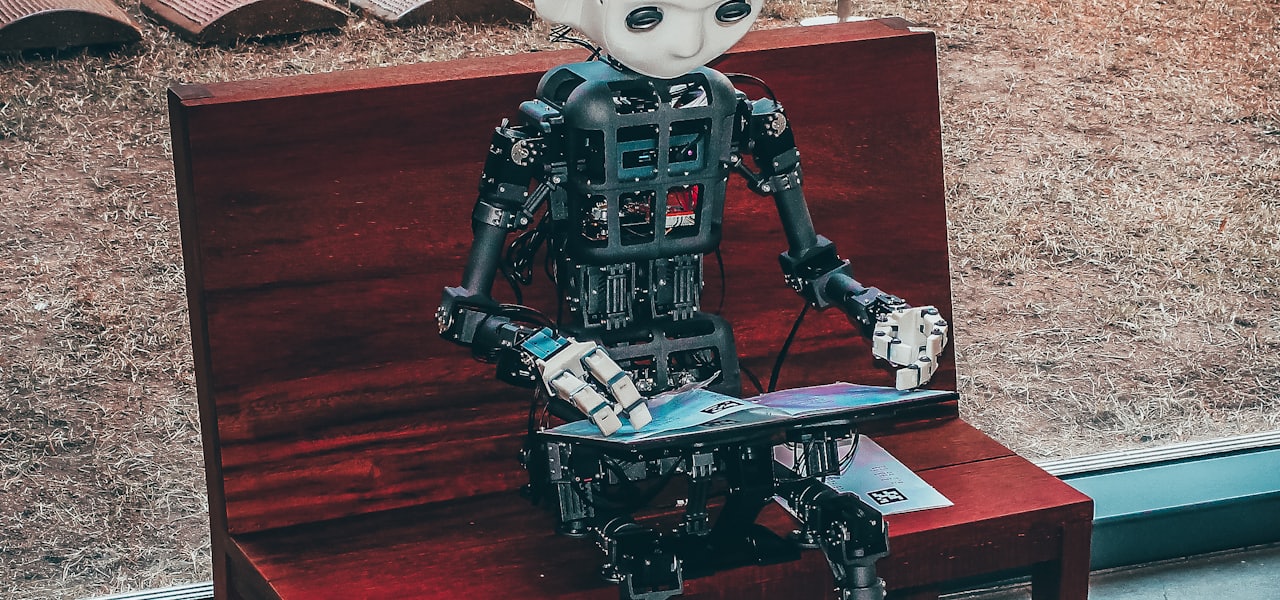
An automaton ( ; pl.: automata or automatons) is a relatively self-operating machine or control mechanism designed to automatically follow a sequence of operations or respond to predetermined instructions. Some automata, such as bellstrikers in mechanical clocks, are designed to give the illusion to the casual observer that they are operating under their own power or will, like a mechanical robot. The term has long been commonly associated with automated puppets that resemble moving humans or animals, built to impress and/or to entertain people. Animatronics are a modern type of automata with electronics, often used for the portrayal of characters or creatures in films and in theme park attractions. == Etymology == The word automaton is the latinization of the Ancient Greek automaton (αὐτόματον), which means "acting of one's own will". It was first used by Homer to describe an automatic door opening, or automatic movement of wheeled tripods. It is more often used to describe non-electronic moving machines, especially those that have been made to resemble human or animal actions, such as the jacks on old public striking clocks, or the cuckoo and any other animated figures on a cuckoo clock. == History == === Ancient === There are many examples of automata in Greek mythology: Hephaestus created automata for his workshop; Talos was an artificial man of bronze; King Alkinous of the Phaiakians employed gold and silver watchdogs. According to Aristotle, Daedalus used quicksilver to make his wooden statue of Aphrodite move. In other Greek legends he used quicksilver to install voice in his moving statues. The automata in the Hellenistic world were intended as tools, toys, religious spectacles, or prototypes for demonstrating basic scientific principles. Numerous water-powered automata were built by Ktesibios, a Greek inventor and the first head of the Great Library of Alexandria; for example, he "used water to sound a whistle and make a model owl move. He had invented the world's first 'cuckoo clock'". This tradition continued in Alexandria with inventors such as the Greek mathematician Hero of Alexandria (sometimes known as Heron), whose writings on hydraulics, pneumatics, and mechanics described siphons, a fire engine, a water organ, the aeolipile, and a programmable cart. Philo of Byzantium was famous for his inventions. Complex mechanical devices are known to have existed in Hellenistic Greece, though the only surviving example is the Antikythera mechanism, the earliest known analog computer. The clockwork is thought to have come originally from Rhodes, where there was apparently a tradition of mechanical engineering; the island was renowned for its automata; to quote Pindar's seventh Olympic Ode: The animated figures stand Adorning every public street And seem to breathe in stone, or move their marble feet. However, the information gleaned from recent scans of the fragments indicate that it may have come from the colonies of Corinth in Sicily and implies a connection with Archimedes. According to Jewish legend, King Solomon used his wisdom to design a throne with mechanical animals which hailed him as king when he ascended it; upon sitting down an eagle would place a crown upon his head, and a dove would bring him a Torah scroll. It is also said that when King Solomon stepped upon the throne, a mechanism was set in motion. As soon as he stepped upon the first step, a golden ox and a golden lion each stretched out one foot to support him and help him rise to the next step. On each side, the animals helped the King up until he was comfortably seated upon the throne. In ancient China, a curious account of automata is found in the Lie Zi text, believed to have originated around 400 BCE and compiled around the fourth century CE. Within it there is a description of a much earlier encounter between King Mu of Zhou (1023–957 BCE) and a mechanical engineer known as Yan Shi, an 'artificer'. The latter proudly presented the king with a very realistic and detailed life-size, human-shaped figure of his mechanical handiwork: The king stared at the figure in astonishment. It walked with rapid strides, moving its head up and down, so that anyone would have taken it for a live human being. The artificer touched its chin, and it began singing, perfectly in tune. He touched its hand, and it began posturing, keeping perfect time...As the performance was drawing to an end, the robot winked its eye and made advances to the ladies in attendance, whereupon the king became incensed and would have had Yen Shih [Yan Shi] executed on the spot had not the latter, in mortal fear, instantly taken the robot to pieces to let him see what it really was. And, indeed, it turned out to be only a construction of leather, wood, glue and lacquer, variously coloured white, black, red and blue. Examining it closely, the king found all the internal organs complete—liver, gall, heart, lungs, spleen, kidneys, stomach and intestines; and over these again, muscles, bones and limbs with their joints, skin, teeth and hair, all of them artificial...The king tried the effect of taking away the heart, and found that the mouth could no longer speak; he took away the liver and the eyes could no longer see; he took away the kidneys and the legs lost their power of locomotion. The king was delighted. Other notable examples of automata include Archytas' dove, mentioned by Aulus Gellius. Similar Chinese accounts of flying automata are written of the 5th century BC Mohist philosopher Mozi and his contemporary Lu Ban, who made artificial wooden birds (ma yuan) that could successfully fly according to the Han Fei Zi and other texts. === Medieval === The manufacturing tradition of automata continued in the Greek world well into the Middle Ages. On his visit to Constantinople in 949 ambassador Liutprand of Cremona described automata in the emperor Theophilos' palace, including "lions, made either of bronze or wood covered with gold, which struck the ground with their tails and roared with open mouth and quivering tongue," "a tree of gilded bronze, its branches filled with birds, likewise made of bronze gilded over, and these emitted cries appropriate to their species" and "the emperor's throne" itself, which "was made in such a cunning manner that at one moment it was down on the ground, while at another it rose higher and was to be seen up in the air." Similar automata in the throne room (singing birds, roaring and moving lions) were described by Luitprand's contemporary the Byzantine emperor Constantine Porphyrogenitus, in his book De Ceremoniis (Perì tês Basileíou Tákseōs). In the mid-8th century, the first wind powered automata were built: "statues that turned with the wind over the domes of the four gates and the palace complex of the Round City of Baghdad". The "public spectacle of wind-powered statues had its private counterpart in the 'Abbasid palaces where automata of various types were predominantly displayed." Also in the 8th century, the Muslim alchemist, Jābir ibn Hayyān (Geber), included recipes for constructing artificial snakes, scorpions, and humans that would be subject to their creator's control in his coded Book of Stones. In 827, Abbasid caliph al-Ma'mun had a silver and golden tree in his palace in Baghdad, which had the features of an automatic machine. There were metal birds that sang automatically on the swinging branches of this tree built by Muslim inventors and engineers. The Abbasid caliph al-Muqtadir also had a silver and golden tree in his palace in Baghdad in 917, with birds on it flapping their wings and singing. In the 9th century, the Banū Mūsā brothers invented a programmable automatic flute player and which they described in their Book of Ingenious Devices. Al-Jazari described complex programmable humanoid automata amongst other machines he designed and constructed in the Book of Knowledge of Ingenious Mechanical Devices in 1206. His automaton was a boat with four automatic musicians that floated on a lake to entertain guests at royal drinking parties. His mechanism had a programmable drum machine with pegs (cams) that bump into little levers that operate the percussion. The drummer could be made to play different rhythms and drum patterns if the pegs were moved around. Al-Jazari constructed a hand washing automaton first employing the flush mechanism now used in modern toilets. It features a female automaton standing by a basin filled with water. When the user pulls the lever, the water drains and the automaton refills the basin. His "peacock fountain" was another more sophisticated hand washing device featuring humanoid automata as servants who offer soap and towels. Mark E. Rosheim describes it as follows: "Pulling a plug on the peacock's tail releases water out of the beak; as the dirty water from the basin fills the hollow base a float rises and actuates a linkage which makes a servant figure appear from behind a door under the peacock and offer soap.
History of RISC OS
RISC OS, the computer operating system developed by Acorn Computers for their ARM-based Acorn Archimedes range, was originally released in 1987 as Arthur 0.20, and soon followed by Arthur 0.30, and Arthur 1.20. The next version, Arthur 2, became RISC OS 2 and was completed in September 1988 and made available in April 1989. RISC OS 3 was released with the very earliest version of the A5000 in 1991 and contained a series of new features. By 1996 RISC OS had been shipped on over 500,000 systems. RISC OS 4 was released by RISCOS Ltd (ROL) in July 1999, based on the continued development of OS 3.8. ROL had in March 1999 licensed the rights to RISC OS from Element 14 (the renamed Acorn) and eventually from the new owner, Pace Micro Technology. According to the company, over 6,400 copies of OS 4.02 on ROM were sold up until production was ceased in mid-2005. RISC OS Select was launched in May 2001 by ROL. This is a subscription scheme allowing users access to the latest OS updates. These upgrades are released as soft-loadable ROM images, separate to the ROM where the boot OS is stored, and are loaded at boot time. Select 1 was shipped in May 2002, with Select 2 following in November 2002 and the final release of Select 3 in June 2004. ROL released the ROM based OS 4.39 the same month, dubbed RISC OS Adjust as a play on the RISC OS GUI convention of calling the three mouse buttons 'Select', 'Menu' and 'Adjust'. ROL sold its 500th Adjust ROM in early 2006. RISC OS 5 was released in October 2002 on Castle Technology's Acorn clone Iyonix PC. OS 5 is a separate evolution based upon the NCOS work done by Pace for set-top boxes. In October 2006, Castle announced a source sharing license plan for elements of OS 5. This Shared Source Initiative (SSI) is managed by RISC OS Open Ltd (ROOL). RISC OS 5 has since been released under a fully free and open source Apache 2.0 license, while the older no longer maintained RISC OS 6 has not. RISC OS Six was also announced in October 2006 by ROL. This is the next generation of their stream of the operating system. The first product to be launched under the name was the continuation of the Select scheme, Select 4. A beta-version of OS 6, Preview 1 (Select 4i1), was available in 2007 as a free download to all subscribers to the Select scheme, while in April 2009 the final release of Select 5 was shipped. The latest release of RISC OS from ROL is Select 6i1, shipped in December 2009. == Arthur == The OS was designed in the United Kingdom by Acorn for the 32-bit ARM based Acorn Archimedes, and released in its first version in 1987, as the Arthur operating system. The first public release of the OS was Arthur 1.20 in June 1987. It was bundled with a desktop graphical user interface (GUI), which mostly comprises assembly language software modules, and the Desktop module itself being written in BBC BASIC. It features a colour-scheme typically described as "technicolor". The graphical desktop runs on top of a command-line driven operating system which owes much to Acorn's earlier MOS operating system for its BBC Micro range of 8-bit microcomputers. Arthur, as originally conceived, was intended to deliver similar functionality to the operating system for the BBC Master series of computers, MOS, as a reaction to the fact that a more advanced operating system research project (ARX) would not be ready in time for the Archimedes. The Arthur project team, led by Paul Fellows, was given just five months to develop it entirely from the ground up—with the directive "just make it like the BBC micro". It was intended as a stop-gap until the operating system which Acorn had under development (ARX) could be completed. However, the latter was delayed time and again, and was eventually dropped when it became apparent that the Arthur development could be extended to have a window manager and full desktop environment. Also, it was small enough to run on the first 512K machines with only a floppy disc, whereas ARX required 4 megabytes and a hard drive. The OS development was carried out using a prototype ARM-based system connected to a BBC computer, before moving onto the prototype Acorn Archimedes the A500. Arthur was not a multitasking operating system, but offered support for adding application-level cooperative multitasking. No other version of the operating system was released externally, but internally the development of the desktop and window management continued, with the addition of a cooperative multitasking system, implemented by Neil Raine, which used the memory management hardware to swap-out one task, and bring in another between call-and-return from the Wimp_Poll call that applications were obliged to make to get messages under the desktop. Reminiscent of a similar technique employed by MultiFinder on the Apple Macintosh, this transformed a single-application-at-a-time system into one that could operate a full multi-tasking desktop. This transformation took place at version 1.6 though it was not made public until released, with the name change from Arthur to RISC OS, as version 2.0. Most software made for Arthur 1.2 can be run under RISC OS 2 and later because, underneath the desktop, the original Arthur OS core, API interfaces and modular structures remain as the heart of all versions. (A few titles will not work, however, because they used undocumented features, side effects or in a few cases APIs that became deprecated). In 2011, Business Insider listed Arthur as one of ten "operating systems that time forgot". == RISC OS 2 == RISC OS was a rapid development of Arthur 1.2 after the failure of the ARX project. Given growing dissatisfaction with various bugs and limitations with Arthur, testing of what was then known as Arthur 2 was apparently ongoing during 1988 with selected software houses. At this stage, Computer Concepts, who had been prolific developers for the BBC Micro and who had begun software development for the Archimedes, had already initiated a rival operating system project, Impulse, to support their own applications (including the desktop publishing application that would eventually become Impression), stating that Arthur did not meet the "hundreds of requirements" involved including "true multi-tasking". Such an operating system was to be offered free of charge with the planned application packages, but with the release of RISC OS and Computer Concepts acknowledging that RISC OS "overcomes the old problems with Arthur", the applications were to be able to run under either RISC OS or Impulse. Impression was eventually released as a RISC OS application. Ultimately, Arthur 2 was renamed to RISC OS, and was first sold as RISC OS 2.00 in April 1989. The operating system implements co-operative multitasking with some limitations but is not multi-threaded. It uses the ADFS file system for both floppy and hard disc access. It ran from a 512 KB set of ROMs. The WIMP interface offers all the standard features and fixes many of the bugs that had hindered Arthur. It lacks virtual memory and extensive memory protection (applications are protected from each other, but many functions have to be implemented as 'modules' which have full access to the memory). At the time of release, the main advantage of the OS was its ROM; it booted very quickly and while it was easy to crash, it was impossible to permanently break the OS from software. Its high performance was due to much of the system being written in ARM assembly language. The OS was designed with users in mind, rather than OS designers. It is organised as a relatively small kernel which defines a standard software interface to which extension modules are required to conform. Much of the system's functionality is implemented in modules coded in the ROM, though these can be supplanted by more evolved versions loaded into RAM. Among the kernel facilities are a general mechanism, named the callback handler, which allows a supervisor module to perform process multiplexing. This facility is used by a module forming part of the standard editor program to provide a terminal emulator window for console applications. The same approach made it possible for advanced users to implement modules giving RISC OS the ability to do pre-emptive multitasking. A slightly updated version, RISC OS 2.01, was released later to support the ARM3 processor, larger memory capacities, and the VGA and SVGA modes provided by the Acorn Archimedes 540 and Acorn R225/R260. == RISC OS 3 == RISC OS 3 introduced a number of new features, including multitasking Filer operations, applications and fonts in ROM, no limit on number of open windows, ability to move windows off screen, safe shutdown, the Pinboard, grouping of icon bar icons, up to 128 tasks, native ability to read MS-DOS format discs and use named hard discs. Improved configuration was also included, by way of multiple windows to change the settings. RISC OS 3.00 was released with the very earliest version of the A5000 in 1991; it is almo